Best Practices for Sharing Calendar Access with Your Cleaners

TurnoverPing Team

Your cleaners need to know when turnovers happen. But sharing calendar access the wrong way creates security risks, confusion, and more work for you.
Some hosts share login credentials. Others send screenshots of their calendars weekly. A few forward every booking confirmation manually. These methods work until they don't.
Sharing your calendar with cleaners should be simple, secure, and automatic. When done right, your cleaners see exactly what they need, you maintain control over sensitive information, and the entire coordination process happens without your involvement.
This guide covers the best practices for calendar sharing, from the most basic methods to fully automated workflows that sync your booking calendars directly to your cleaning team.
Key Takeaways
- ✅ Never share your booking platform login credentials with cleaners
- ✅ iCal URLs provide read-only access without exposing sensitive data
- ✅ Automated tools eliminate manual calendar sharing entirely
- ✅ Cleaners only need to know the date, time, and location of each job
- ✅ Proper calendar sharing reduces errors and prevents missed turnovers
Skip the Calendar Sharing Hassle
TurnoverPing syncs with your booking calendars and notifies cleaners automatically. They see exactly what they need, nothing more.
Why Calendar Sharing Matters
Cleaners who can't see upcoming turnovers can't prepare for them. Every missed cleaning starts with a breakdown in communication.
The Information Gap
Your booking calendar updates constantly. New reservations appear. Guests modify their stays. Cancellations happen. Each change affects when your cleaner needs to show up.
Without real-time visibility, cleaners operate on outdated information. They show up when there's no turnover. They miss the actual checkout because nobody told them it moved.
The Manual Coordination Trap
Most hosts fall into a pattern of constant messaging. A booking comes in, you text your cleaner. The guest extends their stay, you send another text. The booking cancels, you text again.
This works with one or two properties. Managing multiple properties remotely with this approach becomes a full-time job. Every new listing multiplies the messages you send.
What Cleaners Actually Need
Here's the essential information for every turnover:
- Which property needs cleaning
- What date the cleaning happens
- What time the checkout occurs
- Any special instructions for that guest
They don't need access to guest contact information, payment details, or your pricing. Proper calendar sharing gives them turnover data without exposing your entire business.
Give cleaners the least amount of access needed to do their job well. This protects your business, simplifies their workflow, and reduces the chance of errors or security issues.
Methods for Sharing Calendar Access
From most manual to most automated, here are the common approaches hosts use to share calendar information with cleaners.
Method 1: Text Messages and Emails
The most basic approach is sending individual messages for each turnover.
How it works: You see a new booking, you text your cleaner. Changes happen, you text again.
Pros:
- No setup required
- Works with any phone or email
Cons:
- Time-consuming as you scale
- Easy to forget or make mistakes
- No confirmation that info was received
- Changes require additional messages
This method breaks down quickly. It's fine for occasional turnovers but impossible to sustain with consistent bookings.
Method 2: Shared Spreadsheets
Some hosts maintain a spreadsheet that cleaners can view.
How it works: You update a Google Sheet or Excel file with turnover dates. Cleaners check the sheet to see their assignments.
Pros:
- One central location for all turnovers
- Multiple cleaners can access the same document
- Changes update in real time
Cons:
- Requires manual updates from you
- Cleaners must actively check for updates
- No notifications when new turnovers appear
- Easy to miss bookings when updating manually
Spreadsheets add structure but don't solve the fundamental problem: you're still the bottleneck transferring information from your booking platform.
Method 3: Google Calendar Sharing
Google Calendar integration offers a step up from spreadsheets.
How it works: You import your Airbnb calendar into Google Calendar using iCal, then share that Google Calendar with your cleaners.
Pros:
- Syncs automatically with your booking platform
- Cleaners can subscribe to the calendar
- Mobile-friendly for on-the-go access
Cons:
- Setup requires multiple steps
- Some booking details may not transfer cleanly
- No built-in confirmation or tracking
- Cleaners see bookings, not specifically cleaning assignments
This approach is popular because it's free and reasonably effective. However, it still requires your cleaners to actively check a calendar rather than receiving direct notifications.

Method 4: Booking Platform Co-Host Access
Platforms like Airbnb allow you to add co-hosts with various permission levels.
How it works: You add your cleaner as a co-host on your listing. They can then see calendar details directly within the Airbnb app.
Pros:
- Native integration with the booking platform
- Access to accurate, real-time data
- No third-party tools required
Cons:
- Exposes more information than cleaners need
- Only works for one platform at a time
- Gives cleaners access to guest messaging
- More complex permission management
Co-host access can work for trusted team members who handle multiple responsibilities. For cleaners who only need turnover schedules, it shares too much.
Method 5: Dedicated Cleaning Automation
The most streamlined approach uses tools built specifically for coordinating cleaners with calendar sync.
How it works: You connect your booking calendars to an automation platform. The platform creates cleaning jobs automatically and sends notifications to your cleaners.
Pros:
- Fully automatic job creation and notifications
- Cleaners are actively notified, no checking required
- Only turnover-relevant information is shared
- Works across multiple booking platforms
- Tracks confirmations and handles declines
Cons:
- Requires setup and possibly a subscription
- Another tool in your tech stack
For hosts managing more than a few properties, automation pays for itself in saved time and reduced errors.
Create Consistent Cleaning Standards
TurnoverChecklist.com generates customizable cleaning checklists for your vacation rental. Pair calendar sharing with standardized processes for perfect turnovers.
Security Considerations
Calendar sharing creates access to your business data. Approach it with appropriate caution.
Never Share Platform Credentials
Giving your Airbnb or VRBO password to a cleaner is never the right choice. Even with trusted team members, shared credentials create problems:
- You can't revoke access without changing the password for everyone
- You can't track who made which changes
- Platform terms of service typically prohibit credential sharing (see Airbnb's co-host guidelines and VRBO's account security policies)
- A security breach affects your entire hosting business
If your cleaner's phone is lost or stolen with your platform credentials saved, your entire hosting account is compromised. Use proper access controls instead.
Use Read-Only Access When Possible
iCal URLs provide read-only access to calendar data. Cleaners can see when turnovers happen without the ability to modify bookings, contact guests, or access financial information.
This is the security principle of least privilege. Give people the minimum access needed to do their job, nothing more.
Limit What You Share
When setting up any calendar sharing method, consider what information flows through:
- Need to share: Date, time, property address, special instructions
- Don't need to share: Guest names, phone numbers, payment details, booking revenue
Automated platforms designed for cleaning coordination typically filter information appropriately. DIY solutions may require more careful configuration.
Plan for Team Changes
Cleaners come and go. When someone leaves your team, you need to revoke their access immediately.
- iCal URLs: Generate a new URL from your booking platform and update your systems
- Co-host access: Remove their account from your listings
- Automation platforms: Deactivate their user account
Build access revocation into your offboarding process so former team members don't retain visibility into your operations.
Setting Up Read-Only iCal Sharing
If you want to share calendar access without automation, iCal URLs are the best option. Here's how to set them up.
Getting Your iCal Links
Every major booking platform provides an iCal export URL.
Airbnb:
- Go to your listing calendar
- Click the gear icon for settings
- Find "Export Calendar"
- Copy the iCal link
VRBO:
- Navigate to your property calendar
- Look for "Calendar Sync" or "Export"
- Copy the provided URL
Booking.com:
- Access your Extranet
- Go to Rates & Availability
- Find the calendar export option
- Copy the iCal URL
For platform-specific cleaning requirements, see our guides for VRBO cleaning and Booking.com cleaning.
Sharing iCal Links with Cleaners
Once you have the iCal URL, you can share it in several ways:
Subscribe via mobile calendar app: Have your cleaner add the URL as a subscribed calendar on their phone. Updates sync automatically.
View through a calendar viewer: Some cleaners prefer web-based viewers that display iCal feeds without installing anything.
Convert to a cleaning-focused view: Tools exist that take iCal feeds and display only the checkout dates, hiding guest names and other details.
Limitations of Direct iCal Sharing
While iCal sharing is better than manual methods, it has constraints:
- Cleaners must actively check the calendar
- No notifications are sent for new turnovers
- No confirmation that they saw or accepted a job
- No backup cleaner logic if someone can't make it
For growing operations, these limitations push hosts toward dedicated automation tools.
Automating the Entire Workflow
The best calendar sharing is no manual sharing at all. Automation handles everything from booking detection to cleaner notification.
How Automated Cleaner Scheduling Works
- You connect your calendars once using iCal URLs from each booking platform
- The system monitors for new checkouts every 15 to 30 minutes
- Cleaning jobs are created automatically for each detected turnover
- Cleaners receive notifications via SMS, WhatsApp, or email
- Confirmations flow back to you as cleaners accept or decline
You never manually share calendar information again. The system handles all the coordination.
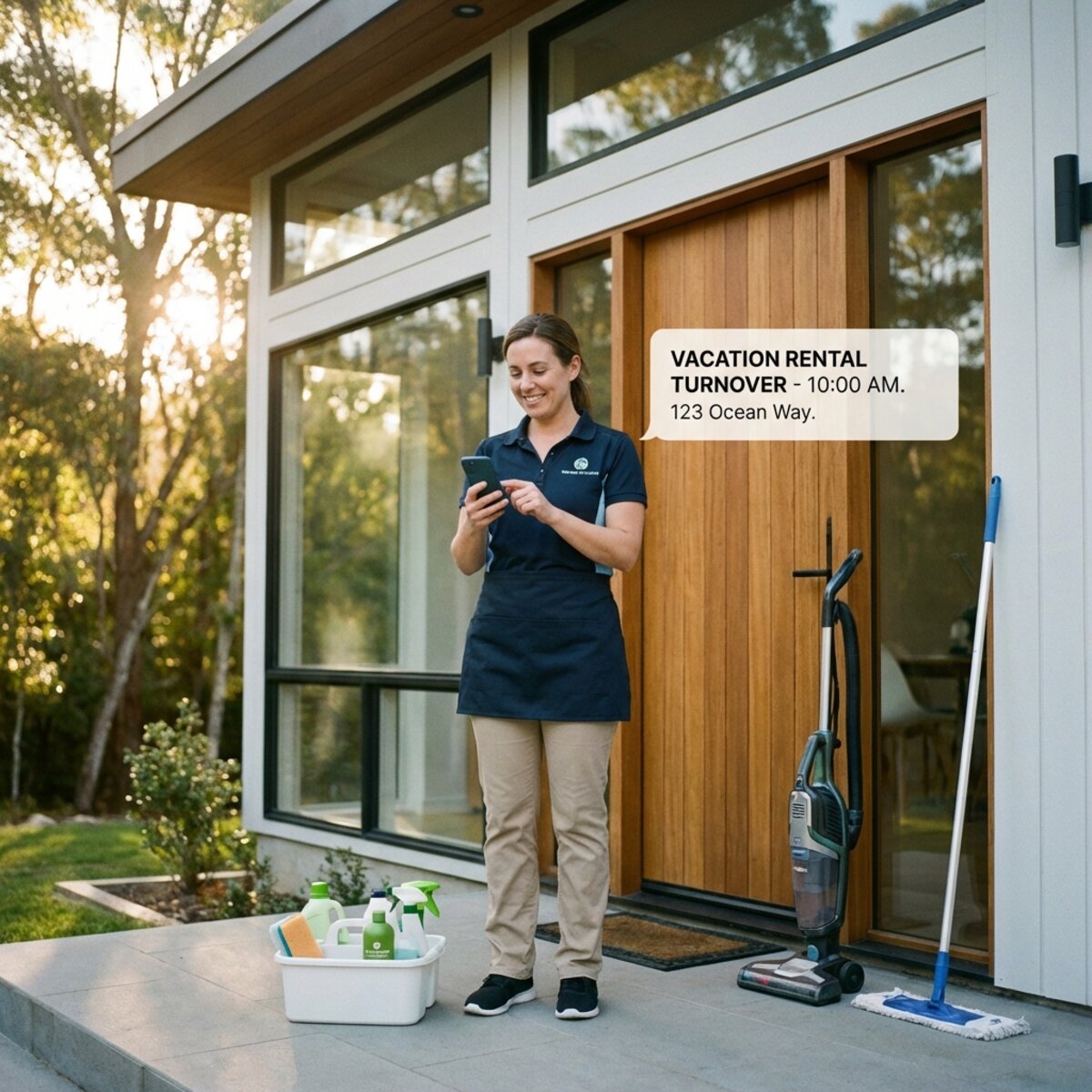
Benefits Over Manual Sharing
- Zero ongoing effort: Once set up, the system runs continuously
- Instant notifications: Cleaners are alerted as soon as a booking syncs
- Change handling: Modified or cancelled bookings update automatically
- Confirmation tracking: See at a glance which jobs are confirmed
- Backup coverage: If a cleaner declines, the system notifies your backup
This approach scales indefinitely. Ten properties work the same as two.
Integration with Multi-Platform Hosting
Hosts who list on Airbnb, VRBO, and Booking.com simultaneously need unified cleaning coordination. Connecting all calendar sources to one automation platform creates a single, consolidated cleaning schedule.
You can also pair this with daily booking summaries from RentalReportDaily.com to maintain visibility across all your platforms without logging into each one separately.
Hosts using automated cleaner scheduling report spending 75% less time on coordination. That's time you can reinvest in growing your rental business or simply enjoying more personal freedom.
Common Mistakes to Avoid
Even with the right tools, certain mistakes undermine effective calendar sharing.
Mistake 1: Oversharing Information
Giving cleaners more access than they need creates confusion and risk. If they can see guest messages, they might accidentally respond. If they see pricing, it may affect compensation negotiations.
Keep calendar sharing focused on what matters: when and where to clean.
Mistake 2: Forgetting Timezone Settings
Booking platforms and automation tools all handle timezones, but they need correct configuration. A property in Pacific time with a system set to Eastern time means cleaners arrive four hours early or late.
Verify timezone settings during setup for every property.
Mistake 3: Not Testing the Flow
Before relying on any calendar sharing setup, run a test. Create a test booking and confirm your cleaner receives the information as expected.
A few minutes of testing prevents confusion on a day when a real guest is checking in.
Mistake 4: Ignoring Sync Delays
Calendar syncing isn't instantaneous. Most systems update every 15 to 30 minutes. Last-minute bookings may not reach your cleaner immediately.
For tight turnovers, especially same-day bookings, you may need to send a manual heads-up while waiting for the system to catch up.
Mistake 5: No Backup Plan
Calendar sharing only works if cleaners see the information. If your primary cleaner misses a notification or can't take the job, you need a backup.
Configure backup cleaner assignments so the system can auto-escalate when the primary declines.
Putting It All Together
Effective calendar sharing reduces your workload while giving cleaners exactly what they need. The progression typically looks like this:
- Starting out: Manual texts and emails work but don't scale
- Growing: Google Calendar or spreadsheets add structure
- Scaling: Automation tools handle coordination entirely
Most hosts who try automation don't go back. The time savings and reliability improvements are too significant to ignore.
Conclusion
Sharing your calendar with cleaners doesn't have to mean sharing your entire business. The best approaches give your cleaning team visibility into turnovers without exposing guest data, financial information, or platform credentials.
If you're still texting every booking manually, consider a synced approach. If you're ready to eliminate coordination entirely, automation handles everything from bookmark detection to cleaner confirmation.
The right calendar sharing method saves you hours each week and ensures cleaners show up exactly when they need to. That's less stress for you and better experiences for your guests.
Frequently Asked Questions
Is it safe to share my Airbnb calendar with cleaners?
What's the best way to share my calendar with multiple cleaners?
Can I share my VRBO and Booking.com calendars too?
How do cleaners confirm they received the calendar information?
What if my cleaner doesn't check the shared calendar regularly?
How often do shared calendars update?
Automate Your Cleaner Coordination
TurnoverPing connects your booking calendars to your cleaning team. Automatic job creation, instant notifications, confirmation tracking. Stop sharing calendars manually.
Related Articles
How to Organize Linen and Laundry for Multiple Properties
Master the art of linen inventory and laundry logistics across multiple vacation rentals. Learn the 3-set system, professional laundry strategies, and how to keep every property guest-ready without the chaos.

Airbnb Cleaning Checklist for Small Studios and Tiny Spaces
Master the art of cleaning compact vacation rentals. This checklist covers studio apartments, tiny homes, and small spaces where every minute and every square foot counts.

Handling Last-Minute Bookings Without Stressing Your Cleaners
Last-minute Airbnb bookings are revenue gold, but they can destroy your cleaner relationships. Learn how to accept short-notice turnovers while keeping your cleaning team happy and your properties ready.