How to Coordinate Cleaners Automatically with Calendar Sync

TurnoverPing Team
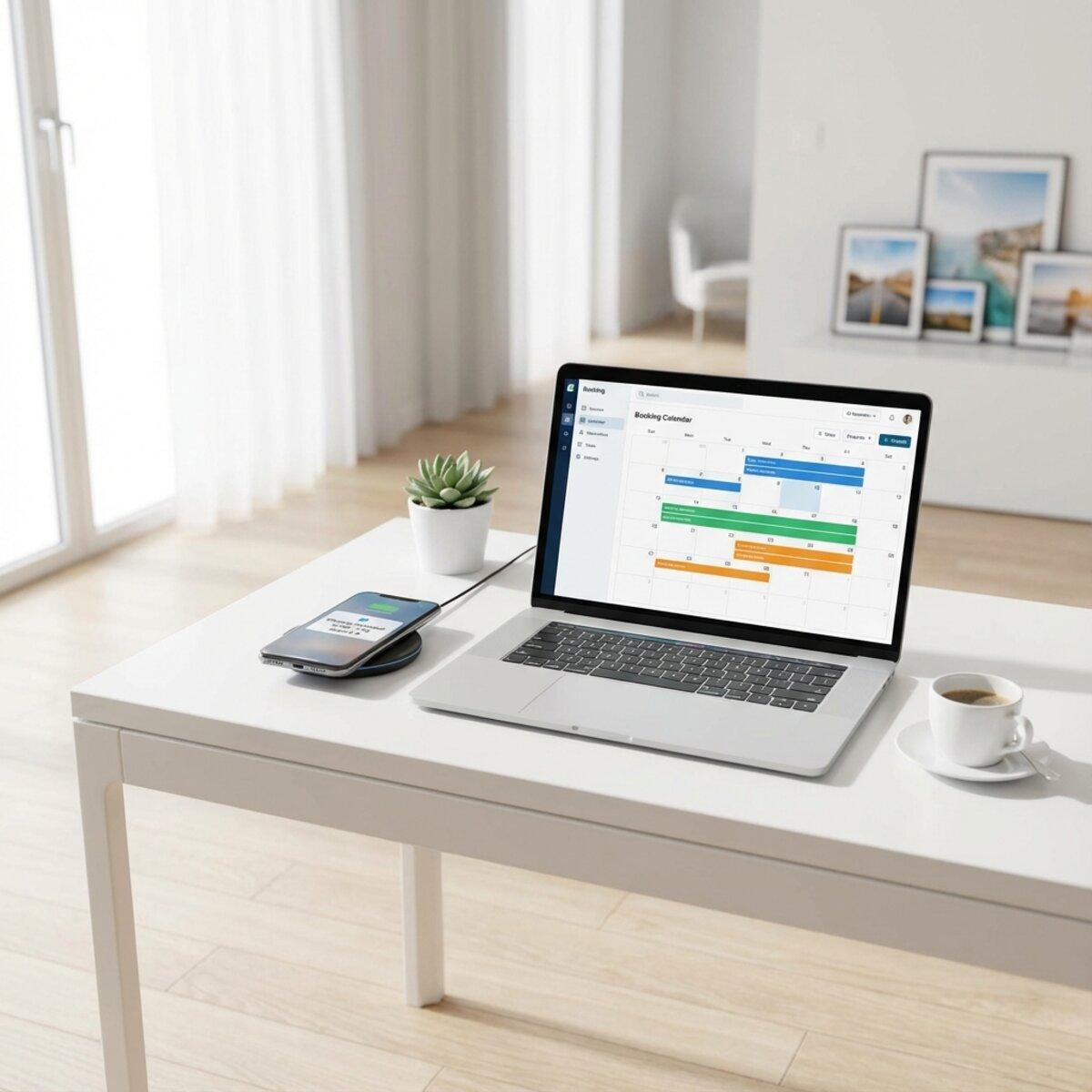
Every checkout triggers the same routine. Check your calendar. Text your cleaner. Wait for a reply. Hope they saw it. Follow up if they didn't.
Multiply that by a dozen properties and a week's worth of bookings. That's hours spent on coordination that could be fully automated.
Automated cleaner scheduling through calendar sync eliminates this grind entirely. Your booking platforms talk to your cleaning system. Your cleaners get notified the moment a checkout appears. You stay informed without lifting a finger.
This guide shows you exactly how to set up calendar sync for automated cleaner coordination, from exporting your first iCal link to building a system that runs on autopilot.
Key Takeaways
- ✅ iCal URLs connect your booking platforms to automated cleaning systems
- ✅ Every checkout automatically creates a cleaning job and notifies your cleaner
- ✅ Booking changes, cancellations, and modifications update your cleaning schedule instantly
- ✅ Multi-platform hosts can sync Airbnb, VRBO, and Booking.com together
- ✅ No apps required for cleaners to receive and confirm jobs
Automate Your Cleaner Coordination
TurnoverPing syncs with your booking calendars and notifies cleaners automatically. Zero manual texting required.
Why Calendar Sync Changes Everything
Manual cleaner coordination fails in predictable ways.
The Message Trap
You send a text: "New checkout Friday at 11am, Unit 5." Your cleaner sees it four hours later. By then you've sent two follow-ups. They reply, but now the guest has extended their stay. Another message. Another wait.
This loop repeats for every single turnover across every property you manage.
Information Lag
Booking platforms update in real time. Your cleaning schedule updates whenever you remember to check. That gap is where turnovers get missed, cleaners show up on the wrong day, and guests walk into dirty units.
The Scale Problem
Managing three properties manually is exhausting. Managing ten is nearly impossible. Every new listing multiplies your coordination workload because there's no system connecting bookings to cleaning assignments. This is exactly why automating your Airbnb cleaning schedule has become essential for growing hosts.
According to Airbnb's hosting standards, cleanliness ranks among the top factors in guest reviews. A single missed turnover can result in a refund, a negative review, and damage to your Superhost status.
Calendar sync removes the lag. Your booking calendar becomes the trigger. When a checkout appears, your cleaning team knows instantly.
How iCal Sync Works
Every major booking platform uses a standard calendar format called iCal. This is the technology that makes automated cleaner scheduling possible.
The iCal URL
Each of your properties on Airbnb, VRBO, or Booking.com has a unique iCal URL. This URL points to a constantly updated calendar containing all your reservations, check-in times, check-out times, and cancellations.
When you give this URL to an automation tool, it can read your calendar and react to changes without any manual input from you.
The Sync Cycle
Automation platforms poll your iCal URLs at regular intervals, typically every 15 to 30 minutes. They compare the current calendar state to the previous one and detect:
- New bookings that need cleaning jobs created
- Modified bookings that need job dates or times updated
- Cancelled bookings that need cleaning jobs removed
Each detection triggers an automatic action. No human intervention required.
iCal is the standard used by Airbnb, VRBO, Booking.com, Google Calendar, Apple Calendar, and virtually every scheduling platform. This universality is what enables seamless calendar sync across all your booking channels.
From Calendar Event to Cleaning Job
Here's what happens when a new booking syncs:
- Your automation tool detects a new checkout date
- A cleaning job is created for that date and property
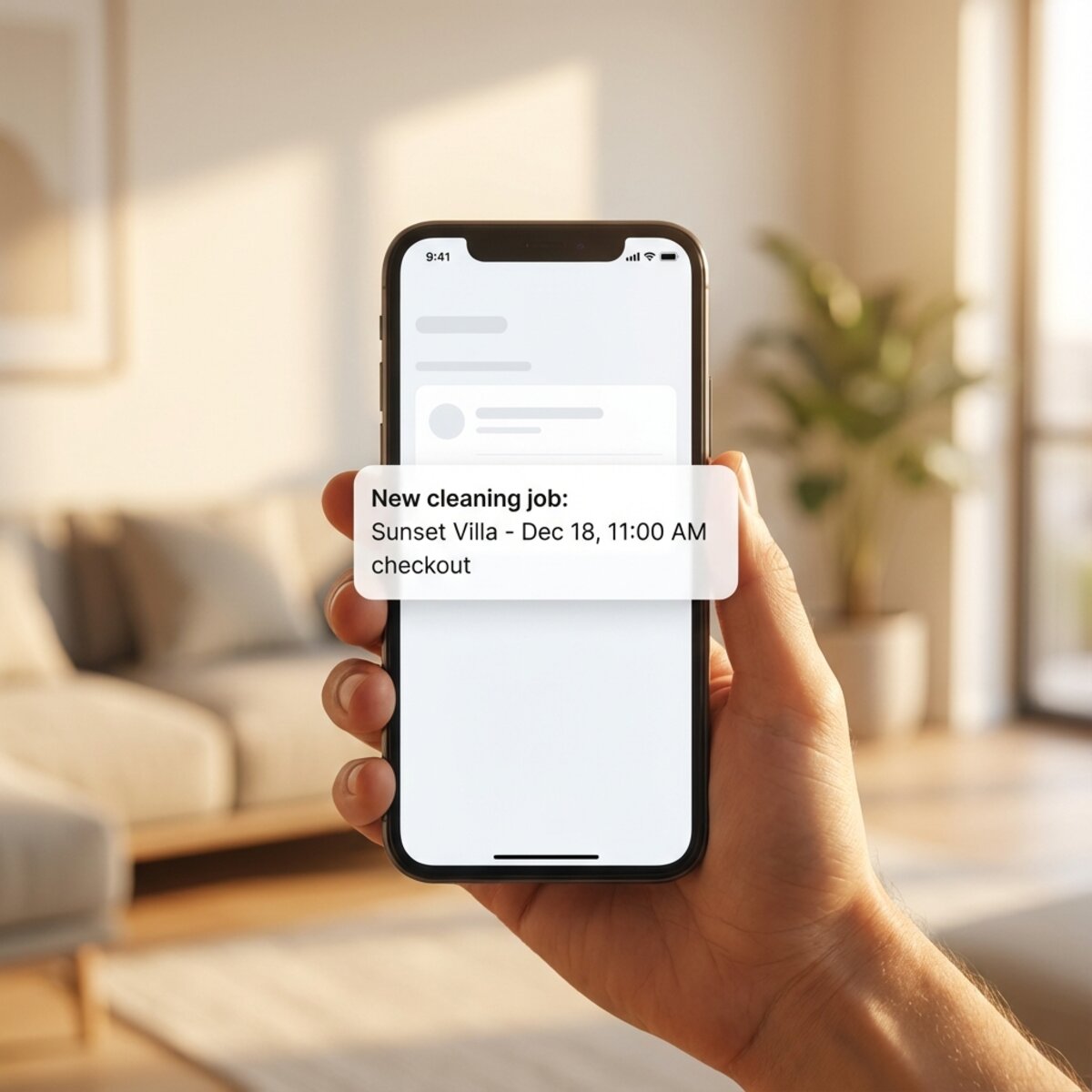
- Your assigned cleaner receives a notification
- The job appears on your dashboard as pending
All of this happens without you sending a single message.
Setting Up Calendar Sync Step by Step
Ready to connect your calendars? Here's exactly how to do it for each major platform.
Getting Your Airbnb iCal URL
- Log into your Airbnb host account
- Select the listing you want to sync
- Click the Calendar tab
- Click the gear icon for Availability Settings
- Scroll to Connect to another calendar
- Copy the Export Calendar link
This URL looks something like: https://www.airbnb.com/calendar/ical/12345678.ics?s=abc123def456
Save these URLs in a secure document. You'll need them when setting up your automation tool, and platforms occasionally generate new URLs during system updates.
Getting Your VRBO iCal URL
- Log into your VRBO owner account
- Navigate to your property calendar
- Look for Calendar Sync or Export Calendar in the settings
- Copy the provided iCal URL
For detailed instructions, see VRBO's calendar sync guide. Once set up, pair this with our VRBO cleaning checklist to ensure consistent quality.
Getting Your Booking.com iCal URL
- Log into your Booking.com Extranet
- Go to Property then Rates & Availability
- Find the calendar export or sync option
- Copy the iCal URL
Booking.com properties have unique cleaning requirements. See our complete Booking.com cleaning checklist for platform-specific standards.
Connecting to Your Automation Platform
Once you have your iCal URLs, the next step is connecting them to your cleaning automation software.
In TurnoverPing, the process takes about 60 seconds:
- Add a new property in your dashboard
- Enter the property name and timezone
- Paste the iCal URL
- Assign your default and backup cleaners
- The system starts syncing immediately
From this point forward, every checkout on that calendar automatically generates a cleaning job.
Handling Multi-Platform Syncing
Many hosts list the same property on multiple platforms. A single vacation rental might appear on Airbnb, VRBO, and Booking.com simultaneously.
Calendar sync handles this seamlessly.
One Property, Multiple Calendars
Most automation tools allow you to add multiple iCal URLs per property. When you connect all three calendar sources to one property record, the system aggregates them into a single cleaning schedule.
The result is a unified view of all your turnovers, regardless of which platform the booking came from.
Avoiding Double Bookings
Since each booking platform manages its own calendar, the iCal URLs stay in sync with their source. If you're using a channel manager to prevent double bookings (and you should be), your cleaning automation will reflect the accurate, deduplicated calendar state.
Want a consolidated view of all your reservations across platforms? RentalReportDaily.com sends you a daily digest of bookings from Airbnb, VRBO, and Booking.com so you always know what's coming up.
Timezone Consistency
When syncing calendars across platforms, make sure your automation tool knows the correct timezone for each property. iCal events sometimes lack timezone information, and incorrect assumptions can lead to cleaning jobs scheduled at the wrong time.
Set the property timezone explicitly in your automation platform to avoid surprises.
Automatic Cleaner Notifications
Calendar sync creates cleaning jobs. Automatic notifications get those jobs to your cleaners.
How Cleaner Notifications Work
When the system detects a new checkout from your calendar:
- A cleaning job is created for the checkout date
- The assigned cleaner receives a notification via SMS, WhatsApp, or email
- The notification includes the property name, date, and check-out time
- The cleaner confirms by replying or clicking a button
No app downloads. No training sessions. Just a message that tells them exactly when and where to show up.
Choosing Notification Channels
Different cleaners prefer different communication methods. A good automation platform supports multiple channels:
- SMS works best for cleaners in the US and Canada
- WhatsApp is often more reliable for international numbers
- Email provides a paper trail and works for anyone with an email address
The best systems auto-detect the appropriate channel based on the cleaner's phone number.
The Confirmation Loop
Once notified, cleaners need to confirm they'll take the job. Simple reply systems make this frictionless:
- SMS/WhatsApp: Cleaner replies "OK" or "YES" to confirm
- Email: Cleaner clicks an Accept button in the message
Confirmations flow back to you automatically. Your dashboard shows pending, confirmed, and declined jobs at a glance.
Backup Cleaner Logic
What happens when your primary cleaner declines or doesn't respond?
With proper automation:
- Primary cleaner declines the job
- System automatically notifies your backup cleaner
- If backup accepts, the job is reassigned and confirmed
- If backup also declines, you're alerted to find alternative coverage
The system prevents "decline loops" where a cleaner who already declined gets notified again for the same job.
Standardize Your Cleaner's Work
TurnoverChecklist.com creates customizable cleaning checklists for your vacation rental in seconds. Ensure consistent quality on every turnover.
What to Do When Bookings Change
Guests modify reservations constantly. Extended stays, shortened trips, cancellations. Manual coordination breaks down here because there's too much to track.
Calendar sync automation handles these changes gracefully.
Date Change Handling
When a guest extends or shortens their stay, the checkout date shifts. Your automation tool detects this during the next sync cycle and:
- Updates the cleaning job to the new date
- Notifies the assigned cleaner about the change
- Requests re-confirmation if the date moved significantly
If the cleaner can't make the new date, the backup flow kicks in automatically. This is especially critical for same-day Airbnb turnovers where timing is everything.
Same-Day Time Changes
Sometimes the checkout time changes but the date stays the same. Minor modifications like these can be handled silently or with an update notification, depending on your preferences.
For example, if checkout moves from 11am to 12pm on the same day, the system might simply update the job without re-notifying the cleaner for something that small.
Cancellation Handling
When a booking gets cancelled, the checkout disappears from the iCal feed. Your automation tool:
- Detects the missing event
- Cancels the associated cleaning job
- Notifies the cleaner they no longer need to come
This prevents cleaners from showing up to properties with no turnover, saving everyone time and confusion.
Reviewing the flow with your cleaning workflow
These features work best when combined with a standardized turnover cleaning process. Whether it's a new booking or a modified one, your cleaner knows exactly what to do when they arrive.
Building Your Automated System
Getting started with calendar sync takes less than 15 minutes for most hosts. Here's a quick checklist:
- Export iCal URLs from each booking platform
- Sign up for an automation tool like TurnoverPing
- Add your properties with their calendar URLs
- Add your cleaners with their contact information
- Assign cleaners to properties with backup coverage
- Test the flow with a mock booking
From there, every future checkout handles itself. You'll receive notifications when jobs are created and confirmed, but you won't need to send a single text message to coordinate.
Common Setup Mistakes to Avoid
A few things to watch for when setting up:
- Wrong timezones lead to jobs scheduled at incorrect times
- Expired iCal URLs stop syncing silently (check periodically)
- No backup cleaners leave you scrambling when primaries decline
- Too-long lead times mean more booking changes happen after notification
For most hosts, notifying cleaners 3 to 5 days before the checkout strikes the right balance between advance notice and booking stability.
Conclusion
Coordinating cleaners manually is a solvable problem. The technology exists to connect your booking calendars directly to your cleaning team. Every checkout triggers an automatic notification. Every booking change updates your schedule. Every cancellation removes the job.
Calendar sync is the foundation of automated cleaner scheduling. Once you connect your iCal URLs to the right platform, the coordination that used to consume hours becomes invisible.
You get confirmations without sending texts. Booking changes are handled without your involvement. Cleaners show up when they're supposed to because the system never forgets to tell them.
That's what hands-off coordination looks like.
Frequently Asked Questions
What is an iCal URL and how do I get one?
Do my cleaners need to install an app to receive notifications?
How quickly do calendar changes sync to my cleaning schedule?
Can I sync multiple booking platforms to the same property?
What happens if my cleaner declines a job?
Ready to Automate Cleaner Coordination?
TurnoverPing connects your booking calendars to your cleaning team. Automatic job creation, instant notifications, confirmation tracking. All without sending a single text.
Related Articles
How to Organize Linen and Laundry for Multiple Properties
Master the art of linen inventory and laundry logistics across multiple vacation rentals. Learn the 3-set system, professional laundry strategies, and how to keep every property guest-ready without the chaos.

Airbnb Cleaning Checklist for Small Studios and Tiny Spaces
Master the art of cleaning compact vacation rentals. This checklist covers studio apartments, tiny homes, and small spaces where every minute and every square foot counts.

Best Practices for Sharing Calendar Access with Your Cleaners
Discover the safest, most effective ways to share your Airbnb, VRBO, and Booking.com calendars with your cleaning team. Stop micromanaging and start automating.